Render.ru

ZBrush 2018. Обзор палитр.

Игорь Т

Бронзовый спонсор
Рейтинг
237
#61
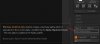
The Make Modified Alpha button creates a new base alpha which is equivalent to the current alpha, modified by the Alpha Adjustment Curve . The new alpha is added to the Alpha palette.
14.jpg

Кнопка Make Modified Alpha создает новую базовую альфу, эквивалентную текущей альфе, измененной с помощью кривой корректировки альфы (Alpha Adjustment Curve). Новая альфа добавляется в палитру Alpha.

Путь к кнопке: Alpha:Transfer:Make Modified Alpha
 

Игорь Т

Бронзовый спонсор
Рейтинг
237
#62
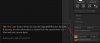
The Clear Color button affects the way the Crop and Fill button behaves. If pressed, all color information is cleared from the canvas when it is filled with the current alpha.

15.jpg

Кнопка Clear Color влияет на поведение кнопок Crop и Fill. Если ее нажать, вся информация о цвете будет удалена с холста при его заливке текущим альфа-фактором.

Путь к кнопке: Alpha:Transfer:Cc
 

Игорь Т

Бронзовый спонсор
Рейтинг
237
#63
The Crop and Fill Document button crops the document to the height and width of the selected alpha, and fills the canvas with it. This action can't be undone, so ZBrush first asks you to confirm it.

16.jpg

Кнопка Crop and Fill Document (Обрезать и залить документ) обрезает документ по высоте и ширине выбранной альфы и заливает им холст. Это действие нельзя отменить, поэтому ZBrush сначала просит вас подтвердить его.

Путь к кнопке: Alpha:Transfer:CropAndFill
 

Игорь Т

Бронзовый спонсор
Рейтинг
237
#64
Grab Doc captures the depth of the canvas as an alpha. Grab Doc and ZBrush's 2.5D sculpting tools allow you to quickly create your alphas. Using The Simple Brush in the Tool palette make several strokes resembling wrinkled skin. When you are done, press Grad Doc to capture this as an alpha.

17.jpg

Grab Doc захватывает глубину холста в виде альфы. Grab Doc и инструменты ZBrush для 2,5D-скульптуры позволяют быстро создать альфу. С помощью «Простой кисти» в палитре «Инструменты» сделайте несколько мазков, напоминающих морщинистую кожу. Когда закончите, нажмите Grad Doc, чтобы захватить это как альфу.

Путь к кнопке: Alpha:Transfer:GrabDoc
 

Игорь Т

Бронзовый спонсор
Рейтинг
237
#65
The Alpha Depth Factor slider determines the depth-intensity applied when the Crop And Fill button, above, is pressed.

For ZBrush-generated alphas, this value is set automatically. For imported alphas, this value can be determined by experimenting.

When rendering objects with ZBrush-generated displacement maps, this slider displays the optimum value for displacement intensity.

18.jpg

Ползунок Alpha Depth Factor определяет интенсивность глубины, применяемую при нажатии кнопки Crop And Fill, расположенной выше.

Для альф, созданных в ZBrush, это значение устанавливается автоматически. Для импортированных альф это значение можно определить опытным путем.

При рендеринге объектов с картами смещения, сгенерированными ZBrush, этот ползунок отображает оптимальное значение интенсивности смещения.

Путь к кнопке: Alpha:Transfer:Alpha Depth Factor
 
Сверху