nCloth in Maya 8.5
- Автор темы M@][
- Дата создания
не могду дать ссылку, к сожалению - линк уже не работает...
сохраните то, что ниже как mel и удачи!
-----------------------------------------------------------------------------------
// parentToSurface
// This mel command allows one to attach selected objects to a selected mesh or nurbs surface.
// The objects will follow any deformation or transformation of the surface.
// Usage: put this script in your local scripts directory. In Maya select object(s) to attach
// followed by a mesh or nurbs surface to attach then enter "parentToSurface" in the
// command line. A follicle node will be created at the point on surface closest to
// the center of the object and the object will be parented to this follicle. Note that
// if the surface to attach to is a mesh it must have well defined UVs that range from 0-1
// with no areas sharing the same value.
//
// For convenience drag the parentToSurface string onto the shelf to make a shelf button.
//
// This command uses the follicle node, which is normally used by the hair system. The follicle node
// is currently the only node in maya that can derive a rotate and translate based on a uv position
// for both meshes and nurbs surfaces.
//
// One use of this script might be to attach buttons to a cloth object, or any deforming surface. To
// attach several buttons, first position the buttons where desired then select them followed by the
// object to attach to and run this command.
// For more info or to report problems with this script go to Duncan's Corner:
// http://area.autodesk.com/blogs/blog/7/
proc float convertToCmFactor()
{
string $unit = `currentUnit -q -linear`;
if( $unit == "mm" ){
return( 0.1 );
} else if( $unit == "cm" ){
return( 1.0 );
} else if( $unit == "m" ){
return( 100.0 );
} else if( $unit == "in" ){
return( 2.54 );
} else if( $unit == "ft" ){
return( 30.48 );
} else if( $unit == "yd" ){
return( 91.44 );
} else {
return( 1.0 );
}
}
proc attachObjectToSurface(string $obj, string $surface, float $u, float $v )
{
string $follicle = `createNode follicle`;
string $tforms[] = `listTransforms $follicle`;
string $follicleDag = $tforms[0];
connectAttr ($surface + ".worldMatrix[0]") ($follicle + ".inputWorldMatrix");
string $nType = `nodeType $surface`;
if( "nurbsSurface" == $nType ){
connectAttr ($surface + ".local") ($follicle + ".inputSurface");
} else {
connectAttr ($surface + ".outMesh") ($follicle + ".inputMesh");
}
connectAttr ($follicle + ".outTranslate") ($follicleDag + ".translate");
connectAttr ($follicle + ".outRotate") ($follicleDag + ".rotate");
setAttr -lock true ($follicleDag + ".translate");
setAttr -lock true ($follicleDag + ".rotate");
setAttr ($follicle + ".parameterU") $u;
setAttr ($follicle + ".parameterV") $v;
//parent -addObject -shape $obj $follicleDag;
parent $obj $follicleDag;
}
global proc parentToSurface()
{
string $sl[] = `ls -sl`;
int $numSel =size($sl);
if( $numSel < 2 ){
warning( "ParentToSurface: select object(s) to parent followed by a mesh or nurbsSurface to attach to.");
return;
}
string $surface = $sl[$numSel-1];
if( nodeType($surface) == "transform" ){
string $shapes[] = `ls -dag -s -ni -v $surface`;
if( size( $shapes ) > 0 ){
$surface = $shapes[0];
}
}
string $nType = `nodeType $surface`;
if( $nType != "mesh" && $nType != "nurbsSurface"){
warning( "ParentToSurface: Last selected item must be a mesh or nurbsSurface.");
return;
}
string $clPos = "";
float $minU, $minV, $sizeU, $sizeV;
float $convertFac = 1.0;
if( $nType == "nurbsSurface" ){
$clPos = `createNode closestPointOnSurface`;
connectAttr ($surface + ".worldSpace[0]") ($clPos + ".inputSurface");
$minU = `getAttr ($surface+".mnu")`;
float $maxU = `getAttr ($surface+".mxu")`;
$sizeU = $maxU - $minU;
$minV = `getAttr ($surface+".mnv")`;
float $maxV = `getAttr ($surface+".mxv")`;
$sizeV = $maxV - $minV;
} else {
int $pomLoaded = `pluginInfo -query -l nearestPointOnMesh`;
if( !$pomLoaded ){
loadPlugin nearestPointOnMesh;
$pomLoaded = `pluginInfo -query -l nearestPointOnMesh`;
if( !$pomLoaded ){
warning( "ParentToSurface: Can't load nearestPointOnMesh plugin.");
return;
}
}
// The following is to overcome a units bug in the nearestPointOnMesh plugin
// If at some point it correctly handles units, then we need to take out the
// following conversion factor.
$convertFac = convertToCmFactor();
$clPos = `createNode nearestPointOnMesh`;
connectAttr ($surface + ".worldMesh") ($clPos + ".inMesh");
}
int $i;
float $closestU, $closestV;
for( $i = 0; $i < $numSel -1; $i++ ){
string $obj = $sl[$i];
if( nodeType( $obj )!= "transform" ){
warning( "ParentToSurface: select the transform of the node(s) to constrain\n");
continue;
}
float $bbox[] = `xform -q -ws -bb $obj`;
float $pos[3];
$pos[0] = ($bbox[0] + $bbox[3])*0.5;
$pos[1] = ($bbox[1] + $bbox[4])*0.5;
$pos[2] = ($bbox[2] + $bbox[5])*0.5;
setAttr ($clPos + ".inPosition") -type double3
($pos[0]*$convertFac)
($pos[1]*$convertFac)
($pos[2]*$convertFac);
$closestU = getAttr( $clPos + ".parameterU");
$closestV = getAttr( $clPos + ".parameterV");
if( $nType == "nurbsSurface" ){
$closestU = ($closestU + $minU)/$sizeU;
$closestV = ($closestV + $minV)/$sizeV;
}
attachObjectToSurface( $obj, $surface, $closestU, $closestV );
}
if( $clPos != "" ){
delete $clPos;
}
}
сохраните то, что ниже как mel и удачи!
-----------------------------------------------------------------------------------
// parentToSurface
// This mel command allows one to attach selected objects to a selected mesh or nurbs surface.
// The objects will follow any deformation or transformation of the surface.
// Usage: put this script in your local scripts directory. In Maya select object(s) to attach
// followed by a mesh or nurbs surface to attach then enter "parentToSurface" in the
// command line. A follicle node will be created at the point on surface closest to
// the center of the object and the object will be parented to this follicle. Note that
// if the surface to attach to is a mesh it must have well defined UVs that range from 0-1
// with no areas sharing the same value.
//
// For convenience drag the parentToSurface string onto the shelf to make a shelf button.
//
// This command uses the follicle node, which is normally used by the hair system. The follicle node
// is currently the only node in maya that can derive a rotate and translate based on a uv position
// for both meshes and nurbs surfaces.
//
// One use of this script might be to attach buttons to a cloth object, or any deforming surface. To
// attach several buttons, first position the buttons where desired then select them followed by the
// object to attach to and run this command.
// For more info or to report problems with this script go to Duncan's Corner:
// http://area.autodesk.com/blogs/blog/7/
proc float convertToCmFactor()
{
string $unit = `currentUnit -q -linear`;
if( $unit == "mm" ){
return( 0.1 );
} else if( $unit == "cm" ){
return( 1.0 );
} else if( $unit == "m" ){
return( 100.0 );
} else if( $unit == "in" ){
return( 2.54 );
} else if( $unit == "ft" ){
return( 30.48 );
} else if( $unit == "yd" ){
return( 91.44 );
} else {
return( 1.0 );
}
}
proc attachObjectToSurface(string $obj, string $surface, float $u, float $v )
{
string $follicle = `createNode follicle`;
string $tforms[] = `listTransforms $follicle`;
string $follicleDag = $tforms[0];
connectAttr ($surface + ".worldMatrix[0]") ($follicle + ".inputWorldMatrix");
string $nType = `nodeType $surface`;
if( "nurbsSurface" == $nType ){
connectAttr ($surface + ".local") ($follicle + ".inputSurface");
} else {
connectAttr ($surface + ".outMesh") ($follicle + ".inputMesh");
}
connectAttr ($follicle + ".outTranslate") ($follicleDag + ".translate");
connectAttr ($follicle + ".outRotate") ($follicleDag + ".rotate");
setAttr -lock true ($follicleDag + ".translate");
setAttr -lock true ($follicleDag + ".rotate");
setAttr ($follicle + ".parameterU") $u;
setAttr ($follicle + ".parameterV") $v;
//parent -addObject -shape $obj $follicleDag;
parent $obj $follicleDag;
}
global proc parentToSurface()
{
string $sl[] = `ls -sl`;
int $numSel =size($sl);
if( $numSel < 2 ){
warning( "ParentToSurface: select object(s) to parent followed by a mesh or nurbsSurface to attach to.");
return;
}
string $surface = $sl[$numSel-1];
if( nodeType($surface) == "transform" ){
string $shapes[] = `ls -dag -s -ni -v $surface`;
if( size( $shapes ) > 0 ){
$surface = $shapes[0];
}
}
string $nType = `nodeType $surface`;
if( $nType != "mesh" && $nType != "nurbsSurface"){
warning( "ParentToSurface: Last selected item must be a mesh or nurbsSurface.");
return;
}
string $clPos = "";
float $minU, $minV, $sizeU, $sizeV;
float $convertFac = 1.0;
if( $nType == "nurbsSurface" ){
$clPos = `createNode closestPointOnSurface`;
connectAttr ($surface + ".worldSpace[0]") ($clPos + ".inputSurface");
$minU = `getAttr ($surface+".mnu")`;
float $maxU = `getAttr ($surface+".mxu")`;
$sizeU = $maxU - $minU;
$minV = `getAttr ($surface+".mnv")`;
float $maxV = `getAttr ($surface+".mxv")`;
$sizeV = $maxV - $minV;
} else {
int $pomLoaded = `pluginInfo -query -l nearestPointOnMesh`;
if( !$pomLoaded ){
loadPlugin nearestPointOnMesh;
$pomLoaded = `pluginInfo -query -l nearestPointOnMesh`;
if( !$pomLoaded ){
warning( "ParentToSurface: Can't load nearestPointOnMesh plugin.");
return;
}
}
// The following is to overcome a units bug in the nearestPointOnMesh plugin
// If at some point it correctly handles units, then we need to take out the
// following conversion factor.
$convertFac = convertToCmFactor();
$clPos = `createNode nearestPointOnMesh`;
connectAttr ($surface + ".worldMesh") ($clPos + ".inMesh");
}
int $i;
float $closestU, $closestV;
for( $i = 0; $i < $numSel -1; $i++ ){
string $obj = $sl[$i];
if( nodeType( $obj )!= "transform" ){
warning( "ParentToSurface: select the transform of the node(s) to constrain\n");
continue;
}
float $bbox[] = `xform -q -ws -bb $obj`;
float $pos[3];
$pos[0] = ($bbox[0] + $bbox[3])*0.5;
$pos[1] = ($bbox[1] + $bbox[4])*0.5;
$pos[2] = ($bbox[2] + $bbox[5])*0.5;
setAttr ($clPos + ".inPosition") -type double3
($pos[0]*$convertFac)
($pos[1]*$convertFac)
($pos[2]*$convertFac);
$closestU = getAttr( $clPos + ".parameterU");
$closestV = getAttr( $clPos + ".parameterV");
if( $nType == "nurbsSurface" ){
$closestU = ($closestU + $minU)/$sizeU;
$closestV = ($closestV + $minV)/$sizeV;
}
attachObjectToSurface( $obj, $surface, $closestU, $closestV );
}
if( $clPos != "" ){
delete $clPos;
}
}
сори!строчки съехали некоторые....
еще раз:
------------------------------------------------------
// parentToSurface
// This mel command allows one to attach selected objects to a selected mesh or nurbs surface.
// The objects will follow any deformation or transformation of the surface.
// Usage: put this script in your local scripts directory. In Maya select object(s) to attach
// followed by a mesh or nurbs surface to attach then enter "parentToSurface" in the
// command line. A follicle node will be created at the point on surface closest to
// the center of the object and the object will be parented to this follicle. Note that
// if the surface to attach to is a mesh it must have well defined UVs that range from 0-1
// with no areas sharing the same value.
//
// For convenience drag the parentToSurface string onto the shelf to make a shelf button.
//
// This command uses the follicle node, which is normally used by the hair system. The follicle node
// is currently the only node in maya that can derive a rotate and translate based on a uv position
// for both meshes and nurbs surfaces.
//
// One use of this script might be to attach buttons to a cloth object, or any deforming surface. To
// attach several buttons, first position the buttons where desired then select them followed by the
// object to attach to and run this command.
// For more info or to report problems with this script go to Duncan's Corner:
// http://area.autodesk.com/blogs/blog/7/
proc float convertToCmFactor()
{
string $unit = `currentUnit -q -linear`;
if( $unit == "mm" ){
return( 0.1 );
} else if( $unit == "cm" ){
return( 1.0 );
} else if( $unit == "m" ){
return( 100.0 );
} else if( $unit == "in" ){
return( 2.54 );
} else if( $unit == "ft" ){
return( 30.48 );
} else if( $unit == "yd" ){
return( 91.44 );
} else {
return( 1.0 );
}
}
proc attachObjectToSurface(string $obj, string $surface, float $u, float $v )
{
string $follicle = `createNode follicle`;
string $tforms[] = `listTransforms $follicle`;
string $follicleDag = $tforms[0];
connectAttr ($surface + ".worldMatrix[0]") ($follicle + ".inputWorldMatrix");
string $nType = `nodeType $surface`;
if( "nurbsSurface" == $nType ){
connectAttr ($surface + ".local") ($follicle + ".inputSurface");
} else {
connectAttr ($surface + ".outMesh") ($follicle + ".inputMesh");
}
connectAttr ($follicle + ".outTranslate") ($follicleDag + ".translate");
connectAttr ($follicle + ".outRotate") ($follicleDag + ".rotate");
setAttr -lock true ($follicleDag + ".translate");
setAttr -lock true ($follicleDag + ".rotate");
setAttr ($follicle + ".parameterU") $u;
setAttr ($follicle + ".parameterV") $v;
//parent -addObject -shape $obj $follicleDag;
parent $obj $follicleDag;
}
global proc parentToSurface()
{
string $sl[] = `ls -sl`;
int $numSel =size($sl);
if( $numSel < 2 ){
warning( "ParentToSurface: select object(s) to parent followed by a mesh or nurbsSurface to attach to.");
return;
}
string $surface = $sl[$numSel-1];
if( nodeType($surface) == "transform" ){
string $shapes[] = `ls -dag -s -ni -v $surface`;
if( size( $shapes ) > 0 ){
$surface = $shapes[0];
}
}
string $nType = `nodeType $surface`;
if( $nType != "mesh" && $nType != "nurbsSurface"){
warning( "ParentToSurface: Last selected item must be a mesh or nurbsSurface.");
return;
}
string $clPos = "";
float $minU, $minV, $sizeU, $sizeV;
float $convertFac = 1.0;
if( $nType == "nurbsSurface" ){
$clPos = `createNode closestPointOnSurface`;
connectAttr ($surface + ".worldSpace[0]") ($clPos + ".inputSurface");
$minU = `getAttr ($surface+".mnu")`;
float $maxU = `getAttr ($surface+".mxu")`;
$sizeU = $maxU - $minU;
$minV = `getAttr ($surface+".mnv")`;
float $maxV = `getAttr ($surface+".mxv")`;
$sizeV = $maxV - $minV;
} else {
int $pomLoaded = `pluginInfo -query -l nearestPointOnMesh`;
if( !$pomLoaded ){
loadPlugin nearestPointOnMesh;
$pomLoaded = `pluginInfo -query -l nearestPointOnMesh`;
if( !$pomLoaded ){
warning( "ParentToSurface: Can't load nearestPointOnMesh plugin.");
return;
}
}
// The following is to overcome a units bug in the nearestPointOnMesh plugin
// If at some point it correctly handles units, then we need to take out the
// following conversion factor.
$convertFac = convertToCmFactor();
$clPos = `createNode nearestPointOnMesh`;
connectAttr ($surface + ".worldMesh") ($clPos + ".inMesh");
}
int $i;
float $closestU, $closestV;
for( $i = 0; $i < $numSel -1; $i++ ){
string $obj = $sl[$i];
if( nodeType( $obj )!= "transform" ){
warning( "ParentToSurface: select the transform of the node(s) to constrain\n");
continue;
}
float $bbox[] = `xform -q -ws -bb $obj`;
float $pos[3];
$pos[0] = ($bbox[0] + $bbox[3])*0.5;
$pos[1] = ($bbox[1] + $bbox[4])*0.5;
$pos[2] = ($bbox[2] + $bbox[5])*0.5;
setAttr ($clPos + ".inPosition") -type double3
($pos[0]*$convertFac)
($pos[1]*$convertFac)
($pos[2]*$convertFac);
$closestU = getAttr( $clPos + ".parameterU");
$closestV = getAttr( $clPos + ".parameterV");
if( $nType == "nurbsSurface" ){
$closestU = ($closestU + $minU)/$sizeU;
$closestV = ($closestV + $minV)/$sizeV;
}
attachObjectToSurface( $obj, $surface, $closestU, $closestV );
}
if( $clPos != "" ){
delete $clPos;
}
}
еще раз:
------------------------------------------------------
// parentToSurface
// This mel command allows one to attach selected objects to a selected mesh or nurbs surface.
// The objects will follow any deformation or transformation of the surface.
// Usage: put this script in your local scripts directory. In Maya select object(s) to attach
// followed by a mesh or nurbs surface to attach then enter "parentToSurface" in the
// command line. A follicle node will be created at the point on surface closest to
// the center of the object and the object will be parented to this follicle. Note that
// if the surface to attach to is a mesh it must have well defined UVs that range from 0-1
// with no areas sharing the same value.
//
// For convenience drag the parentToSurface string onto the shelf to make a shelf button.
//
// This command uses the follicle node, which is normally used by the hair system. The follicle node
// is currently the only node in maya that can derive a rotate and translate based on a uv position
// for both meshes and nurbs surfaces.
//
// One use of this script might be to attach buttons to a cloth object, or any deforming surface. To
// attach several buttons, first position the buttons where desired then select them followed by the
// object to attach to and run this command.
// For more info or to report problems with this script go to Duncan's Corner:
// http://area.autodesk.com/blogs/blog/7/
proc float convertToCmFactor()
{
string $unit = `currentUnit -q -linear`;
if( $unit == "mm" ){
return( 0.1 );
} else if( $unit == "cm" ){
return( 1.0 );
} else if( $unit == "m" ){
return( 100.0 );
} else if( $unit == "in" ){
return( 2.54 );
} else if( $unit == "ft" ){
return( 30.48 );
} else if( $unit == "yd" ){
return( 91.44 );
} else {
return( 1.0 );
}
}
proc attachObjectToSurface(string $obj, string $surface, float $u, float $v )
{
string $follicle = `createNode follicle`;
string $tforms[] = `listTransforms $follicle`;
string $follicleDag = $tforms[0];
connectAttr ($surface + ".worldMatrix[0]") ($follicle + ".inputWorldMatrix");
string $nType = `nodeType $surface`;
if( "nurbsSurface" == $nType ){
connectAttr ($surface + ".local") ($follicle + ".inputSurface");
} else {
connectAttr ($surface + ".outMesh") ($follicle + ".inputMesh");
}
connectAttr ($follicle + ".outTranslate") ($follicleDag + ".translate");
connectAttr ($follicle + ".outRotate") ($follicleDag + ".rotate");
setAttr -lock true ($follicleDag + ".translate");
setAttr -lock true ($follicleDag + ".rotate");
setAttr ($follicle + ".parameterU") $u;
setAttr ($follicle + ".parameterV") $v;
//parent -addObject -shape $obj $follicleDag;
parent $obj $follicleDag;
}
global proc parentToSurface()
{
string $sl[] = `ls -sl`;
int $numSel =size($sl);
if( $numSel < 2 ){
warning( "ParentToSurface: select object(s) to parent followed by a mesh or nurbsSurface to attach to.");
return;
}
string $surface = $sl[$numSel-1];
if( nodeType($surface) == "transform" ){
string $shapes[] = `ls -dag -s -ni -v $surface`;
if( size( $shapes ) > 0 ){
$surface = $shapes[0];
}
}
string $nType = `nodeType $surface`;
if( $nType != "mesh" && $nType != "nurbsSurface"){
warning( "ParentToSurface: Last selected item must be a mesh or nurbsSurface.");
return;
}
string $clPos = "";
float $minU, $minV, $sizeU, $sizeV;
float $convertFac = 1.0;
if( $nType == "nurbsSurface" ){
$clPos = `createNode closestPointOnSurface`;
connectAttr ($surface + ".worldSpace[0]") ($clPos + ".inputSurface");
$minU = `getAttr ($surface+".mnu")`;
float $maxU = `getAttr ($surface+".mxu")`;
$sizeU = $maxU - $minU;
$minV = `getAttr ($surface+".mnv")`;
float $maxV = `getAttr ($surface+".mxv")`;
$sizeV = $maxV - $minV;
} else {
int $pomLoaded = `pluginInfo -query -l nearestPointOnMesh`;
if( !$pomLoaded ){
loadPlugin nearestPointOnMesh;
$pomLoaded = `pluginInfo -query -l nearestPointOnMesh`;
if( !$pomLoaded ){
warning( "ParentToSurface: Can't load nearestPointOnMesh plugin.");
return;
}
}
// The following is to overcome a units bug in the nearestPointOnMesh plugin
// If at some point it correctly handles units, then we need to take out the
// following conversion factor.
$convertFac = convertToCmFactor();
$clPos = `createNode nearestPointOnMesh`;
connectAttr ($surface + ".worldMesh") ($clPos + ".inMesh");
}
int $i;
float $closestU, $closestV;
for( $i = 0; $i < $numSel -1; $i++ ){
string $obj = $sl[$i];
if( nodeType( $obj )!= "transform" ){
warning( "ParentToSurface: select the transform of the node(s) to constrain\n");
continue;
}
float $bbox[] = `xform -q -ws -bb $obj`;
float $pos[3];
$pos[0] = ($bbox[0] + $bbox[3])*0.5;
$pos[1] = ($bbox[1] + $bbox[4])*0.5;
$pos[2] = ($bbox[2] + $bbox[5])*0.5;
setAttr ($clPos + ".inPosition") -type double3
($pos[0]*$convertFac)
($pos[1]*$convertFac)
($pos[2]*$convertFac);
$closestU = getAttr( $clPos + ".parameterU");
$closestV = getAttr( $clPos + ".parameterV");
if( $nType == "nurbsSurface" ){
$closestU = ($closestU + $minU)/$sizeU;
$closestV = ($closestV + $minV)/$sizeV;
}
attachObjectToSurface( $obj, $surface, $closestU, $closestV );
}
if( $clPos != "" ){
delete $clPos;
}
}
Вопрос остается открытым...
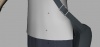
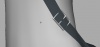
Предложенный mazzza вариант, лишь дублирует то, что можно сделать руками (Maya -> F1 -> Using Maya -> Dynamics and Effects -> nCloth -> Creating nCloth -> nCloth Examples -> nCloth Zipper, раздел Create the zipper object): то есть использовать follicle от системы волос для того, чтобы он управлял через Parent вращением и перемещением объекта. Получается все замечательно [Рис.01], но ведь при симуляции присоединенный объект никак не будет взаимодействовать с поверхностью, к которой он прикреплен (например, если эта поверхность nCloth) [Рис.02]
Следовательно, надо этот объект также сделать частью системы nucleus. И здесь начинается самое интересное.
У нас 2 варианта:
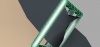
#1. Сделать этот объект (в моем случае это... как эта хрень на ремне называется-то? Пусть будет зажим =) ) nCloth и попытаться динамическими констрейнами присоединить ее к ремню. Проблема в том, сам зажим не должен деформироваться, при любых настройках возникают такииие аномалии, по сравнению с которыми Курская отдыхает [Рис.03]
#2. Сделать зажим nRigid -- вроде все здорово, зажим следует движениям ремня из-за follicle, и еще взаимодействует с nCloth ремнем, оставаясь сам недеформированным. Это в теории, а на практике.... [Рис.04] Зажим вертится как сумашедший, да и к тому же при возврате в 1й кадр анимации он не возвращается в исходное положение, а мы лицезреем ошибку:
// Warning: Cycle on 'nCloth_bagShape.outputMesh' may not evaluate as expected.
Поэтому я был бы очень рад услышать какие-нибудь варианты на создание адекватного поведения этих, на первый взгляд, пустяков (пуговицы, зажимы, etc.) [Рис.05]
Предложенный mazzza вариант, лишь дублирует то, что можно сделать руками (Maya -> F1 -> Using Maya -> Dynamics and Effects -> nCloth -> Creating nCloth -> nCloth Examples -> nCloth Zipper, раздел Create the zipper object): то есть использовать follicle от системы волос для того, чтобы он управлял через Parent вращением и перемещением объекта. Получается все замечательно [Рис.01], но ведь при симуляции присоединенный объект никак не будет взаимодействовать с поверхностью, к которой он прикреплен (например, если эта поверхность nCloth) [Рис.02]
Следовательно, надо этот объект также сделать частью системы nucleus. И здесь начинается самое интересное.
У нас 2 варианта:
#1. Сделать этот объект (в моем случае это... как эта хрень на ремне называется-то? Пусть будет зажим =) ) nCloth и попытаться динамическими констрейнами присоединить ее к ремню. Проблема в том, сам зажим не должен деформироваться, при любых настройках возникают такииие аномалии, по сравнению с которыми Курская отдыхает
[Рис.03]#2. Сделать зажим nRigid -- вроде все здорово, зажим следует движениям ремня из-за follicle, и еще взаимодействует с nCloth ремнем, оставаясь сам недеформированным. Это в теории, а на практике.... [Рис.04] Зажим вертится как сумашедший, да и к тому же при возврате в 1й кадр анимации он не возвращается в исходное положение, а мы лицезреем ошибку:
// Warning: Cycle on 'nCloth_bagShape.outputMesh' may not evaluate as expected.
Поэтому я был бы очень рад услышать какие-нибудь варианты на создание адекватного поведения этих, на первый взгляд, пустяков (пуговицы, зажимы, etc.) [Рис.05]
Вложения
-
 47,7 КБ Просмотров: 391
 -
 36,3 КБ Просмотров: 364
 -
 46,3 КБ Просмотров: 365
 -
 47,8 КБ Просмотров: 366
 -
 76,9 КБ Просмотров: 381